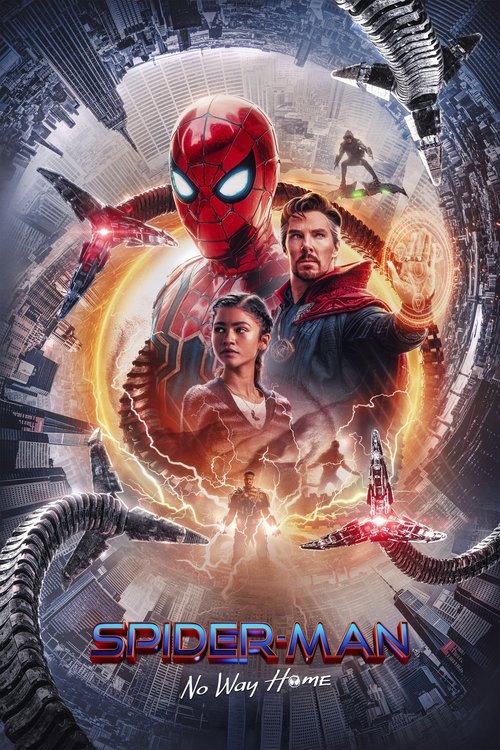
Spider-Man: No Way Home
2021 · Movie

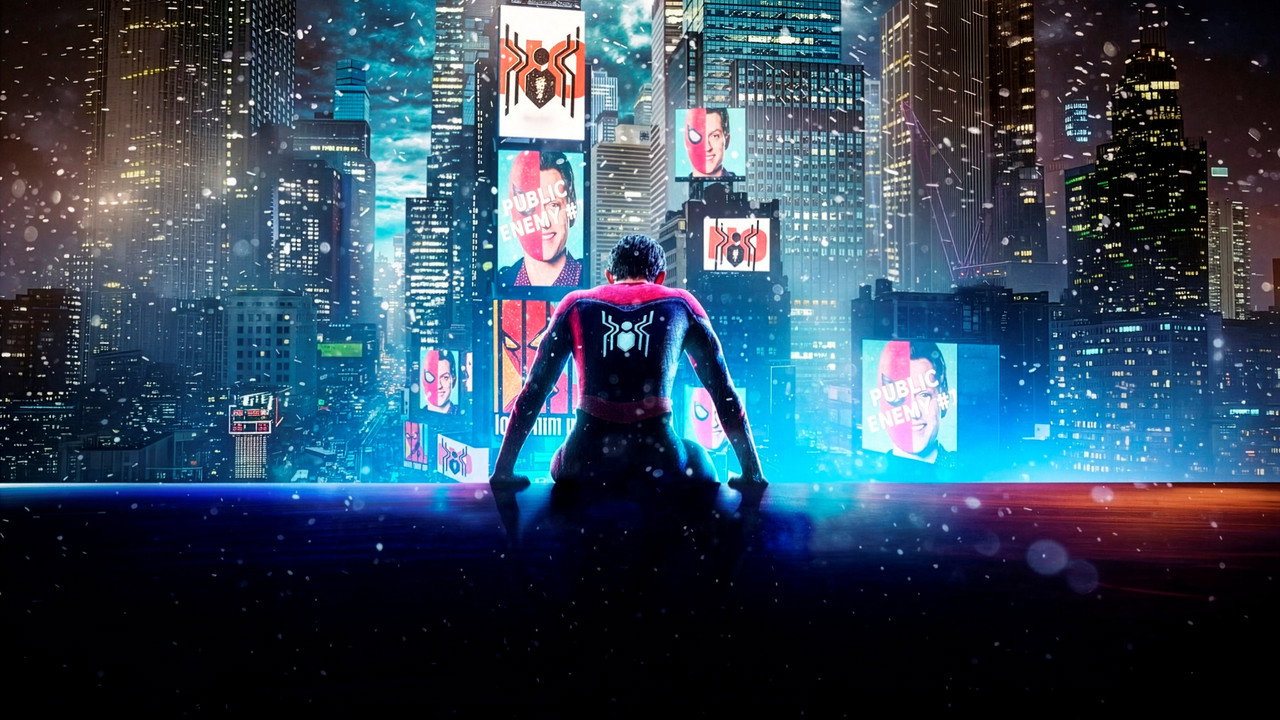
Peter Parker’s identity is out in the open. A request for help turns into a much bigger problem, with consequences that reach beyond the world he knows.
2021 · Movie

2019 · Movie

2016 · Movie

2008 · TV Series
2004 · Movie

2001 · Movie

2025 · Movie

2025 · Movie
2025 · Movie

2025 · Movie

2025 · Movie

2025 · Movie
2008 · TV Series

2019 · TV Series

2023 · TV Series

1999 · TV Series
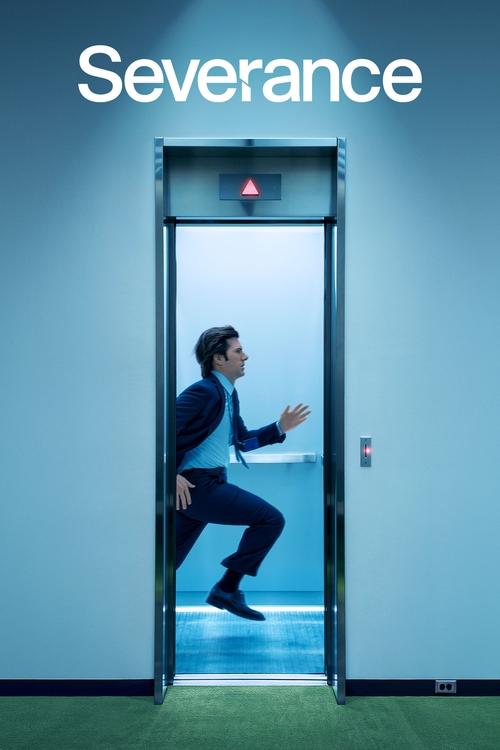
2022 · TV Series
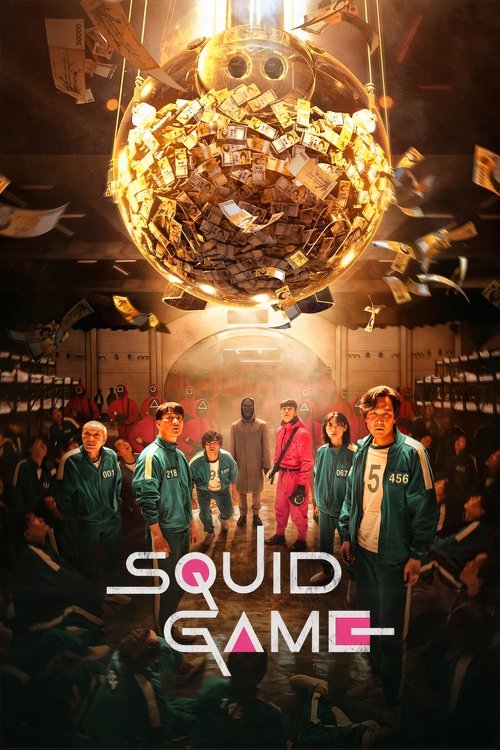
2021 · TV Series
2008 · TV Series
2023 · TV Series
1999 · TV Series

2025 · Movie

1994 · Movie

2013 · TV Series
Use FlickyStream on Android, iPhone and tablets, with direct answers about shortcuts, installers and saved movies.
Read guide →Find your way back from an old FlickyStream address without losing the film or series you wanted.
Read guide →Identify the failed step and get specific help for empty search, a missing My List or buffering video.
Read guide →Choose standalone anime films or continuing shows, including Your Name., Demon Slayer, Frieren and One Piece.
Read guide →FlickyStream movies, television and anime
The recommendation arrives as a message, a clip, a half-remembered name. Perhaps it is Spider-Man, perhaps a Japanese film with a beautiful night sky, perhaps the series everyone says deserves another episode. FlickyStream is a place to turn that passing interest into a choice. Find the production, take a look at its story, and keep it nearby until you are ready to watch.
Our movie, television and anime selections share one search. You do not need to choose a format before typing a name, create an account to read a synopsis, or remember which poster you opened yesterday. My List holds your selections in this browser. Title pages bring the year, original name, genres and community rating together, with a country selection for your next viewing step.
Start with a film in the spotlight or browse the anime collection for a different kind of adventure. The article below answers the questions that come with watching online: finding the right version, choosing subtitles, understanding HD and 4K, using a phone or television, and recovering when a page or video will not load. For a specific film, search comes first. For the details around it, start with the subject you need.
Opening the FlickyStream movie catalog gives the evening a clear shape: one feature, one central story, one decision. That does not mean choosing something small. A film can move between cities, generations or worlds and still offer a different commitment from starting a continuing series. Use the Movie label when you want that format, then let the premise narrow the possibilities.
The first paragraph of a synopsis is usually enough to discover the initial problem. Who wants something? What stands in the way? What makes this situation unusual? Those questions work for an intimate drama as well as a superhero film. A familiar actor or striking poster may attract attention, but the situation helps you judge whether the film fits the evening you actually have.
Do not make release year a measure of how much enjoyment is left in a movie. A film you missed in 2004 is still a new experience when you first sit down with it. Recent releases and older favorites can belong in the same list. The year is especially useful for separating remakes and adaptations, where an identical name can refer to a very different production.
Open a movie page rather than deciding from the thumbnail alone. You can read the fuller description, compare the genres and save it without losing your place in the broader catalog. When you are ready, Watch now opens a title search on JustWatch for your selected country. Choose the matching film there to see its current viewing options.
Spider-Man: No Way Home begins with an unusually public problem for Peter Parker: his identity is no longer private. That changes the lives around him before the larger adventure takes over. The request he makes for help has consequences beyond the situation he hoped to repair. It is a useful reminder that a superhero film can begin with a personal difficulty rather than a distant threat.
FlickyStream features the 2021 movie, with its full subtitle visible beside the poster. That subtitle matters. “Spider-Man” can mean several films and different screen interpretations of the character. If a friend mentioned No Way Home, opening another production because it has a similar suit or city backdrop will not recover the same recommendation. Match the name and year before comparing viewing editions.
Our search also recognizes Spiderman No Way Home and Spider Man No Way Home. You do not have to stop and reconstruct the punctuation to find this record. These spellings lead to the same film page rather than separate versions. The original production remains one entry in My List, so saving it from the spotlight and finding it again through search does not create two copies.
A continuing film series can assume earlier knowledge. If this is your first encounter with its characters, consider whether you want to start earlier before proceeding. Popularity order is not viewing order. Keep the featured movie saved while you decide; there is no need to choose the most prominent poster simply because it is the first one you see.
The FlickyStream anime collection includes feature films and television, allowing a short first step or a longer involvement. Japanese animation can be romantic, unsettling, comic, contemplative or adventurous. Treating it as one mood makes it harder to find the right production. Start with the premise and format, then consider the visual world you want to spend time in.
A movie is often a comfortable introduction when you are exploring unfamiliar animation. You can meet the characters and encounter a complete narrative without choosing a multi-season commitment. A series gives another kind of pleasure: time for a setting to acquire history and for seemingly minor relationships to become important. Neither format is automatically a better introduction. The choice depends on what keeps your attention.
The collection uses Japanese original-language animation records. That classification does not list every possible dub. A film made in Japanese may have English or other language tracks in a particular viewing edition, and those tracks can differ between countries or services. Use the title page to identify the work, then inspect the audio and subtitle choices where you play it.
Animation also does not mean one universal age range. A bright palette or young protagonist is not a substitute for the selected edition’s content information. When several people are watching, agree on the sort of story and intensity that fits the group. A thoughtful choice of title does more for the evening than assuming everything in one collection is interchangeable.
Your Name. is a strong example of a film whose title alone gives away very little. Its premise connects two teenagers through an extraordinary experience that disrupts ordinary lives. A recommendation may use the English name or Kimi no Na wa. FlickyStream search connects either phrase to the 2016 movie, so a different way of remembering the name does not send you toward an unrelated production.
Spirited Away offers another kind of encounter with the unfamiliar. A young girl enters a world governed by rules she does not yet understand. The setting invites curiosity, but the emotional point of entry is recognizable: being separated from what feels safe and learning how to act in a strange place. Read the short introduction if you want context without a detailed account of the discoveries ahead.
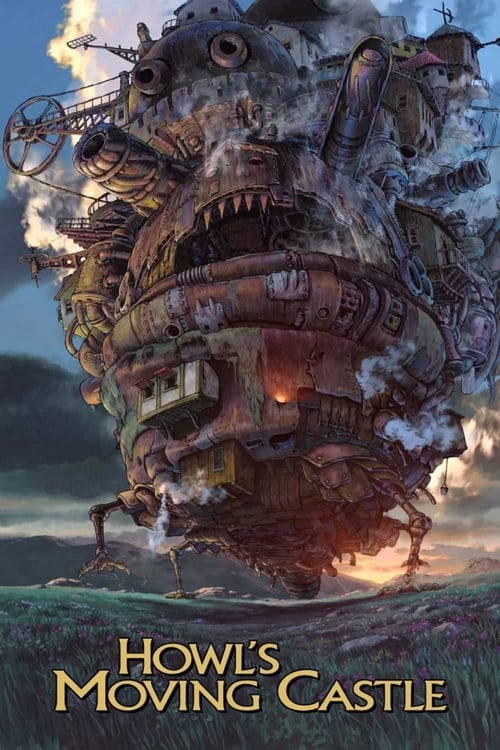
Howl's Moving Castle places transformation at the beginning of its story. The castle is memorable, but the changing circumstances of the characters give the spectacle a reason to matter. Its 2004 release year helps identify the film when a search includes similarly named discussion videos or books. The apostrophe is optional in our selected search alias: Howls Moving Castle reaches the same movie record.
These three films do not require one shared viewing order. They are separate selections, not numbered chapters of one franchise. Save all three if they interest you, then choose according to the kind of evening you want. On a first viewing, keeping plot research short leaves more space for the images, performances and surprises to make their own impression.
Demon Slayer is a name that can refer to television and cinema. In the catalog, Demon Slayer: Kimetsu no Yaiba has a TV Series label, while Mugen Train and Infinity Castle have Movie labels. That distinction is visible before you open the details. A recommendation that only says “watch Demon Slayer” leaves a question unanswered: which production and which point in the larger story?
Search the shared name to see the related records, then read the complete title. Saving a movie does not save the television production automatically. Each record can remain in My List for a different moment. This is helpful when you are planning a longer viewing sequence, but the list itself does not calculate that sequence or mark the episodes you have completed.
Release dates can help distinguish productions, yet a popularity-sorted page should never be mistaken for a franchise guide. A highly rated later film may appear above an earlier show. If continuity matters to you, establish what comes before that particular installment rather than pressing ahead from whichever card appears first. The selected service’s season and episode labeling is also important when television is involved.
For a subbed or dubbed edition, check the exact offer you intend to use. Japanese original language is part of the production information; English audio availability is an edition question. The same principle applies to subtitles on an offline copy. Confirm the track before committing to a long journey or a group viewing where one language choice needs to work for everyone.
Frieren: Beyond Journey's End asks what remains after a great adventure. That premise gives its continuing story a reflective quality: time passes differently for different people, and an event can change meaning as someone looks back on it. If you are looking for anime that gives memory and relationships room to develop, read the series introduction rather than judging it solely by the promise of fantasy.
One Piece suggests a very different scale of continuing involvement. Its world and long-running television identity make the series name especially important when a recommendation is vague. FlickyStream’s anime collection includes the 1999 animated production. Read that format and year carefully when another adaptation or similarly titled result appears elsewhere. A shared fictional world does not make every screen production the same show.
Choosing a continuing series does not obligate you to watch it at the pace of the most enthusiastic discussion online. Start where the production expects you to begin, see whether its rhythm suits you, and make your own decision about continuing. My List is a reminder of your interest, not a challenge to finish a certain number of episodes by a deadline.
If you already watch a show, keep your season and episode position in the application that plays it or in your own note. Saving its series page here identifies the production, but it is not synchronized playback progress. Returning to the right show and returning to the right moment are two different tasks, and knowing where each is stored prevents an unnecessary search later.
The TV shows section is for stories that build through repeated encounters. Breaking Bad follows a teacher whose choices draw him into criminal activity and transform the relationships around him. Severance begins from a workplace arrangement that separates parts of employees’ lives in an extraordinary way. Both make a continuing premise out of consequences that cannot be settled in one scene.
Squid Game offers another distinct entry point: people in severe financial difficulty are drawn into a competition whose stakes become impossible to ignore. The Korean original-language label identifies the production’s language, not every available way to hear it. If you prefer a dub or rely on captions, inspect those options in the edition you select rather than guessing from the language label under the poster.
A series year usually identifies its beginning. Breaking Bad’s 2008 label does not imply that every episode first appeared that year, and it does not tell you which season an external service currently carries. This becomes important when you are resuming something. Find the correct series, then confirm the season and episode on the viewing service before treating a familiar cover image as a complete match.
Our series pages do not invent live episode arrivals or present a decorative Continue Watching bar as your history. They give you the show, premise and viewing handoff. That makes a saved production useful even when you change devices or viewing providers, provided you keep the actual episode position separately. The catalog remains a way back to the story, not a substitute for your player’s progress.
The crime television collection and mystery selection overlap in places without asking the same question of every story. Crime can concentrate on motives and consequences even when the viewer knows who acted. Mystery often keeps an important explanation out of reach. Decide whether you want to investigate an unanswered question or observe what happens after a difficult choice.
For either kind of viewing, the right amount of information matters. A premise can tell you whether a show involves a disappearance, a compromised investigator or a hidden arrangement without describing the solution. Read enough to choose. Searching for a detailed ending explanation before your first episode is easy to do accidentally when a result headline includes more than you wanted to learn.
A high score can suggest that other viewers valued a production, but it cannot explain which particular element will suit you. One person may care about careful plotting; another may be drawn to character work or atmosphere. Pair the rating with the short description instead of using the number as the entire decision. A lower-rated choice with the right premise can still fit your tastes better.
When a series leaves you at a difficult stopping point, use your viewing application to preserve the exact episode position. Keep the show in FlickyStream My List as a broader reminder. The next time you return, the title page helps identify the production while the player’s history answers where you left it. Neither piece of information needs to replace the other.
Inception, Arrival and Interstellar make useful starting points in the science fiction movie collection because their central situations are different. Inception builds around entering dreams. Arrival begins with an encounter that turns communication into an urgent problem. Interstellar sends its characters beyond Earth under extraordinary pressure. Shared genre does not mean shared pace, tone or emotional emphasis.
Ask what you want from the evening before choosing among expansive worlds. Are you interested in an intricate premise, a meeting with something unknown, or a journey shaped by distance and time? That simple distinction is more useful than demanding the biggest visual effects. The spectacle can deepen an idea, but the idea is often what remains after the screen goes dark.
Science fiction can benefit from uninterrupted attention, particularly when its rules unfold gradually. Read the premise rather than a complete plot summary and give the film a chance to explain itself. If you need to stop, the viewing application’s progress controls are more useful than trying to recover your position from memory. A saved catalog card does not contain a video timestamp.
For picture and sound, choose the edition your screen and connection can support consistently. A selected 4K offer may be attractive on a suitable television, while HD can still be a sensible choice on another device. The movie’s resolution, sound format and subtitle tracks belong to the offer, not to the resolution of its artwork in the catalog.
Parasite brings the relationship between households into a sharply specific setting. Its synopsis offers a way into the story without requiring you to know its later turns. The 2019 film appears alongside English-language movies rather than in an entirely separate browsing experience. A different original language is a detail to consider, not a reason to assume the film is inaccessible to you.
The Korean drama collection takes that curiosity into television, while Hindi cinema provides another movie selection. These collections describe the cataloged productions. They are not promises that every edition includes the same translation, is available in every country, or can be played through one universal subscription. The title’s identity remains steady while an offer’s conditions can change.
When exploring a language you do not speak, give subtitle preferences some thought before watching with others. Someone reading on a phone may want larger text than a person watching a television across a room. A dubbed edition can be useful for a particular setting, while original audio may be the version another viewer prefers. It is worth settling that choice before the opening scene.
You can also search an original name when the translated title is difficult to recall. FlickyStream includes original titles in search, with selected alternate spellings for familiar requests. If there is no result, simplify the wording first. A complete sentence about where you saw a film is less useful here than a distinctive word from its actual name.
The comedy movies page offers a change of pace, but humor is personal. A story about awkward relationships will not create the same evening as broad physical comedy or a film that mixes laughter with uncomfortable consequences. Read the situation and additional genre labels. The word Comedy gives you a starting point, not a guarantee that everyone will respond in the same way.
For a shared choice, begin with two or three titles rather than asking a whole room to evaluate an endless catalog. Each person can name one thing they want and one thing they would rather avoid. You might agree on a feature instead of a series, or original audio with subtitles rather than a dub. The release year can remain flexible if nobody cares about novelty.
My List is useful for holding the candidates while the group decides. It does not need to become a permanent record of every poster anyone liked. Keep the rejected options if they still interest you, or remove them when they no longer do. Saving and removing a title here changes your browser’s list; it does not purchase, rent or cancel anything.
Once a film wins, open its details and stop shopping for a moment. Comparing another dozen posters can turn a simple choice back into a difficult one. Confirm the edition, language and available screen, then let the film begin. The point of a shortlist is to make the final decision smaller, not to create a second catalog that feels equally hard to browse.
FlickyStream search works best when the query identifies a production. Type Breaking Bad, Your Name or a distinctive part of a longer movie name. You can refine the results after that. Phrases such as “watch the latest episode in 1080p with English subtitles” describe what you want to do, but they do not necessarily identify a title in the catalog’s searchable fields.
The search includes displayed names, original names and selected aliases. It is not an actor database, dialogue search or plot-recognition engine. If you remember only a scene, use that clue to recover the production name first. An empty result for an actor or quotation does not mean the film has disappeared. It may mean the query asks for information that this particular search does not index.
On a keyboard, the slash key focuses the visible header search when you are not already typing in another field. This gives you a quick way back to a new title without reaching for the pointer. Normal typing remains normal inside an input. You can also use the search button or open the full search page directly.
Once results appear, read the year and format beneath the names. A title shared by a film and show needs one more decision before you continue. Selected spelling aliases help with punctuation, but they cannot settle which adaptation you intended. The complete record, rather than the first few matching letters, is the useful result.
A filter should remove an uncertainty, not add one. If you know you want a feature, choose Movies. If the remembered release year is reliable, use that year. If you only think a title might count as Mystery, leave the genre open until you have found it. Combining uncertain conditions can hide the right production behind an apparently precise but incorrect search.
Sorting is different from filtering. Ordering by a recent year changes which results appear first; selecting a single year restricts which results remain. A rating order can help compare the listed productions, but it does not remove your responsibility to read the premise. Apply the fewest conditions that move you toward the choice, then add another only if the results still need narrowing.
The search address retains the query and applied choices. You can reload it or bookmark it to return to the same selection. That address is not a private message, so do not type passwords or personal details into the movie search field. My List is the better place to keep particular productions; a bookmarked search is better for revisiting a useful group of results.
If everything disappears, reset the filters and recover the name first. A guessed year is a common cause of an empty list. Accented original titles and selected familiar spellings can be searched without reproducing every typographic detail, but unusual transliterations may still need another form. The search guide explains the supported fields and useful examples.
The homepage rows are different invitations. Popular movies and series bring recognizable choices close to the surface. Recent movie releases emphasize release years. Top-rated titles put community scores into the ordering. None of these labels is a personalized prediction about you, and none turns the first poster into an obligation to watch it.
A newer date can be useful when you want to catch up with a film you missed, but it does not establish a daily refresh schedule or a worldwide premiere feed. The catalog lists the releases represented in its movie information. If you are checking whether a specific production is available tonight, open its viewing options rather than treating its position in a homepage row as confirmation.
The visible ratings come from TMDB. They are not IMDb scores, age certificates or measures of streaming quality. A series can have a strong community rating while a particular episode or viewing edition is a different question entirely. Use the score as one piece of context, alongside the synopsis, format, year and your own preferences.
For familiar “Top IMDb” browsing intent, the top-rated route provides a clearly labeled score-based selection without relabeling another source’s numbers. Read the rating source before comparing a value with a number you saw elsewhere. Communities differ, scores change, and the production that best suits your evening may not sit at the top of any general list.
Saving a title should take less effort than remembering it. Use the My List control in the spotlight or on a title page, then open the saved list when you want to see your choices together. A television series and a film from the same franchise remain separate entries. You can remove one without deciding anything about the other.
The list is kept in the current browser on the current website. There is no FlickyStream account to create and no automatic promise that a phone, another browser and a television share the same saved items. If you switch from a regular window to private browsing, you may be using a different storage context. The difference is about where the list lives, not whether a title still exists.
Clearing website data can remove saved choices. A bookmark to a particular title is a separate browser feature and can be useful for a film you especially want to retain. Saving here is not an offline download, a reservation or a playback-progress marker. It records which production you want to return to, not how much of its video you have already watched.
A short list often stays more useful than an enormous one. Keep the films you genuinely expect to consider again. After watching something, remove it if that helps make room for a new choice, or leave it as a personal favorite. The control has a deliberately simple meaning: this title is either in your browser’s list or it is not.
“FlickyStream free movies” can mean browsing without a fee or finding a full film that has a free viewing offer. Our catalog, descriptions, search and local list can be used without a FlickyStream account. A complete movie’s viewing terms are a separate matter. Begin with the production, then compare the options available for it in your country.
A current offer may be included with a subscription, available to rent or buy, or offered without a payment under stated conditions. Advertising, registration on the viewing service, device support and regional availability can all affect that choice. A free trailer or clip is not the same as a free full-length movie. Check what the selected option actually provides before settling in.
The country setting helps keep the handoff relevant. Choosing the United Kingdom rather than the United States changes the JustWatch search region; it does not change your location, bypass a service’s restrictions or guarantee that the same film has an identical offer. If you are travelling, check the terms for the place and account you will actually use.
When no suitable offer is available, keep the film saved and consider another title for tonight. There is no need to confuse a remake with the film you wanted just because it appears in the next result. A useful alternative can be another edition of the same production, or a genuinely different film. Make that distinction deliberately.
Picture quality is worth checking after choosing the film, not before identifying it. HD streaming, 1080p streaming and 4K streaming describe different picture resolutions, but a single film can be offered in different editions. A high-resolution poster on FlickyStream does not establish the resolution of the video you will play. Read the quality information attached to the actual viewing offer.
The full experience depends on more than one number. Your display, the service’s supported device, the selected plan or rental, and the stability of the connection can all matter. A 4K television does not automatically upgrade an HD source into a native 4K offer. Likewise, choosing a very high resolution is not always useful on a small screen when the connection cannot sustain it.
Some players provide automatic or adaptive quality that adjusts as conditions change. Where that option exists, it can be a comfortable default. A short reduction in sharpness may be preferable to repeated interruptions. If you select quality manually, choose from the options the player actually provides rather than assuming every title includes an identical ladder of resolutions.
For a large-screen film, check audio and subtitle support at the same time as picture quality. A sharper image does not solve an unavailable language track or incompatible sound setting. The quality and playback guide helps separate those questions so that changing one setting does not distract from the issue you are really trying to fix.
Subtitles are part of how many people watch movies and TV shows online, including people who understand the spoken language. They can help with a quiet scene, an unfamiliar accent, a shared room or a preferred way of following dialogue. For anime and international films, they may be the main way you connect with the story. Check the available tracks before beginning a long session.
An original-language label is not a subtitle menu. Japanese, Korean or English production information tells you about the title, while the selected player lists the translations and captions available in that edition. A friend watching the same film through another offer may see different tracks. Their experience is useful context, but it does not replace the menu in front of you.
If you need captions that include sound information, look for the relevant caption or accessibility label rather than assuming every dialogue translation provides it. Where the player supports customization, choose a readable size and background for your screen. White lettering over a bright scene can be difficult even when the language itself is correct. Small text that looks acceptable on a phone may be uncomfortable across a room.
For subtitles that appear late or early, first check whether the issue affects only that edition. Use the player’s supported timing control if one exists. Do not change random browser settings while the actual track remains mismatched. The FlickyStream subtitle guide covers missing tracks, audio choices and keeping the reading experience comfortable.
A phone is often where a film choice begins, even when it is not where the film will be watched. Open FlickyStream, type the name and compare the poster with the recommendation. The mobile header keeps search accessible, and the navigation menu opens the broader catalog sections. You do not need to use a desktop to read a synopsis or add a title to My List.
A tablet gives posters and descriptions more room without requiring a different account. Rotate the device if that feels more comfortable, but remember that the catalog and an external player may handle orientation differently. The website adapting to a narrower screen does not imply that every viewing application supports the same controls, casting options or picture formats.
On a mobile connection, think about the viewing service’s data settings before starting a long video. Browsing a description and streaming a feature use the connection in different ways. Use the player’s supported quality choice or data-saving setting when appropriate. A consistent lower resolution can be more comfortable than repeatedly switching between a sharp picture and a stalled scene.
If you want to save a choice for later, use the same browser when returning. A link opened inside another app may use its own browser context and show a different list. You can bookmark the title in your main browser if you want a more direct return path. Neither the bookmark nor My List stores the full movie on the phone.
You can use FlickyStream on Android, iPhone and tablets through the website. Search, catalog details and My List do not require a native installation. If the browser offers an Add to Home Screen or shortcut action, that can make returning more convenient. It opens the website; it does not create a different movie library or add a hidden video-download feature.
For “FlickyStream APK” searches, the direct answer is that this site does not distribute an Android installer. There is no APK download button to uncover on another catalog page. A similarly named file found elsewhere is not identified or maintained here. The app and browser-access page explains the available experience without presenting an unrelated package as our application.
A shortcut and a native app are different things. A shortcut can remember where to open, while a native viewing application may provide its own offline storage, device controls or account progress. Those capabilities belong to the software that implements them. The fact that a website looks comfortable on a phone does not establish that a native version exists for every device.
If your goal is simply to find the next film quickly, the browser route is sufficient. Keep the address you use, return to the same browser for saved selections, and open the chosen viewing option when ready. Install a viewing service’s own supported app only when that is the application you intend to use for the film itself.
A Smart TV can be a good place to watch an expansive film, but typing with a remote is not always the easiest way to choose it. Use a phone or computer to settle on the exact production first. Keep the title and year together, then find that production in the supported viewing application on the television. This avoids treating a similar cover image as a match.
FlickyStream does not supply a universal Smart TV application, Firestick package or console player. A television browser may display the catalog, but that alone does not establish compatibility with a separate video service. Check the app or browser requirements for the offer you select, particularly when you expect high-resolution picture, a particular sound format or accessible captions.
If casting is supported by the viewing application and your hardware, use that application’s own cast control. The required connection and device setup depend on that system. A phone displaying a poster is not proof that it can send any video to any television. Choose the actual playback path before relying on casting for a group movie night.
Once the film is on the larger screen, check subtitle size from the seat where you will watch. Controls that looked clear close to a handheld display may need different settings across a room. The device guide separates catalog browsing, supported apps and player controls so you can solve the right part of the setup.
Fullscreen, Picture-in-Picture, keyboard shortcuts, playback speed and subtitle customization can make a viewing session more comfortable. Their availability depends on the active player. FlickyStream’s catalog search and save controls do not reach into a video playing on a separate service. Use the controls shown by that service, and consult its help when a feature is missing.
A keyboard shortcut should do what its context suggests. On this site, slash focuses the visible header search when you are not typing elsewhere. It is not a command to pause a movie in another tab. A player may use its own shortcuts for pausing, captions or seeking, so focus the player before expecting those keys to affect the video.
“Streaming servers” often appears in discussions about an interrupted film. Some players expose a source selector; others handle delivery internally. This site does not offer a hidden list of alternative video servers. If an offer is failing, use the retry, quality or support options provided there, or compare another current viewing offer for the same production.
Delivery labels such as HTML5 or a content delivery network do not by themselves guarantee a fast, uninterrupted session. The video edition, connection, application and device still matter. Start troubleshooting with the symptom you can observe instead of assuming a technical label explains everything. A missing subtitle, failed page and buffering video require different responses.
For a journey without a reliable connection, decide which films or episodes you want before departure. My List can hold the choices while you compare an offer with offline support. It does not download video. A saved poster is useful for planning, but it cannot play a film once the connection disappears.
Where a viewing service includes downloads, use its supported application and check the title’s particular conditions. Streaming access may not include an offline copy, and a download may have an expiry or device restriction. For television, inspect the individual episodes you need rather than assuming that the series cover means every episode has been transferred.
Allow the transfer to finish, then test the downloaded edition in the conditions the application supports. Confirm that the sound and subtitle tracks you need are present. A language choice from a previous online viewing may not prove that an offline edition contains the same files. Available storage matters as well as picture quality, especially when saving several long productions.
FlickyStream does not provide direct movie downloads or a stream-extraction tool. Our offline-viewing guide is about preparing a supported download through the service you choose. Keeping that distinction clear prevents a familiar-looking thumbnail from becoming an unwelcome surprise when you are already away from a connection.
A remembered website address can outlast the page that once occupied it. Domain discussions may mix current names, old references and unrelated sites using similar branding. If an old FlickyStream link does not open, retain the useful part of your visit: the title you wanted. The production’s name and year can recover the film even when a particular address is no longer useful.
This catalog does not operate every FlickyStream-named domain or maintain a verified list of backup mirrors. A familiar wordmark does not establish that two websites share an operator, an account or a saved list. Moving between addresses can also mean moving between separate browser storage contexts. A list that appears empty there has not necessarily been erased here.
“FlickyStream unblocked” is often a request to get past a failed page and return to a film. First distinguish a bad deep link from a website that cannot load at all. Try the current homepage and a normal search for the production. A country selector changes regional viewing choices; it does not act as a proxy or alter network access.
The website and domain page answers these access questions without announcing an unsupported migration. Bookmarking the address you actually use is more useful than remembering a list of guessed endings. For a particular movie, keeping its full title is even more portable than keeping the address of one site where you first saw the poster.
“FlickyStream down” can describe several different experiences. The homepage may fail to load, one saved link may be broken, search may return no titles, or a movie on another application may stop playing. Start by naming the point of failure. Reloading everything repeatedly is less useful than finding out whether the problem is the page, the query, browser storage or the video edition.
If the homepage opens but a particular link does not, search the title again. If search is empty, remove uncertain filters and try the name without extra phrases about quality or episodes. If My List appears empty, confirm the browser and address you used when saving. Those checks address common situations without assuming that every visitor is experiencing a global outage.
For buffering, compare another title within the same viewing application and use its supported automatic or lower quality setting. A failure affecting one edition is different from a connection that cannot load ordinary pages. Pause other large transfers if they are competing for bandwidth. Subtitle timing and missing audio should be checked separately from picture loading.
The loading and playback help page is practical guidance, not a live outage map. It does not claim to monitor every similarly named website or external viewing application. A precise symptom gives you a better next step than a broad conclusion that the entire service is either working perfectly or down everywhere.
A useful FlickyStream alternative depends on what you want to replace. If you still want the same film, look for another offer for that production. If you want a different story, change the collection or format. If the television cannot play the selected edition, find a supported application. These are different problems, even when the initial search uses the same word: alternative.
Reviews can help describe a browsing experience, but an old review cannot confirm today’s catalog or the tracks on your selected edition. Pay attention to what the writer actually tried. Searching and saving are different from watching a complete video, and using one country’s offer says little about another country. A useful review keeps those experiences distinct.
Reddit discussions can be good sources of film recommendations and practical descriptions of an issue. Retain the title someone enjoyed or the specific symptom they described, while checking the date and context of availability claims. A confident comment naming a replacement address is still not proof of a migration. A comment about subtitle trouble can be useful without establishing that everyone has the same problem.
For “is FlickyStream safe” or “is FlickyStream legit,” this website offers browsing without a required account, payment form or installer. It does not make a blanket guarantee about every address using the name. The FlickyStream review and privacy answers explain the experience here, while the alternatives guide helps you choose what to do next.
FlickyStream is a movie, television and anime browsing site with title search, production details and a browser-based My List. Choose a title to read its story and follow country-specific viewing choices on JustWatch. You can move between films and series without creating a FlickyStream account.
Yes. Browsing the catalog, searching and saving titles in this browser do not require payment or a FlickyStream login. Full-length viewing offers have their own terms. Check the selected production and country to see whether an offer is free, advertising-supported, included with a subscription, rented or purchased.
You can use the website in a supported mobile browser, and a browser shortcut can make it easier to reopen. This site does not distribute a native FlickyStream app or Android APK. A shortcut opens the website rather than installing an offline movie player.
Yes. The anime collection includes Japanese-language animation records for films and television, including Your Name., Spirited Away, Howl's Moving Castle and the cataloged Demon Slayer productions. Read the Movie or TV Series label to distinguish formats. Dubbed audio and subtitle choices depend on the viewing edition.
This site does not publish a live outage status for every FlickyStream-named address. Compare the homepage with the link that failed, then check whether the problem concerns search, saved titles or playback in another application. The status guide gives a different next step for each situation.
Browsing here does not require a payment, installer or account. My List stores title choices in your current browser, and movie information comes from TMDB. Those facts describe this website, not every similarly named domain or external offer. Read the privacy page for this site's data practices.
Check the actual viewing offer for HD, 1080p or selected 4K support. Available resolution depends on the edition, plan, application and device. FlickyStream's poster quality is not a video-quality guarantee, and the catalog does not add a resolution that the selected player does not offer.
Open the language or subtitle menu in the application playing your chosen edition. English subtitles, captions and dubbed audio are separate tracks and may differ by offer or country. The original-language label on a FlickyStream title identifies the production, not every track available for it.
My List belongs to the current browser and website, without account synchronization. Another device, browser, private window or address can have a different list. Clearing site data may remove saved choices. A bookmark to a title is a separate way to keep a direct return link.
This catalog does not supply downloadable movie files or a selectable video-server list. For offline viewing, use a supported download offered by the viewing application. For interruptions, use that application's quality, retry or help controls. Saving a title to My List does not download its video.
For the same movie, compare current offers for its exact title and year in your country. For a different choice, try another FlickyStream genre or anime collection. If your device is the obstacle, choose an offer with a supported application for that screen rather than changing films unnecessarily.
No. The displayed community ratings come from TMDB and are labeled accordingly. They describe audience scores, not age suitability, streaming quality or a personal recommendation. Top-rated browsing orders the catalog by those scores; it does not present them as IMDb ratings.